How to Send ERC-20 Tokens: Wallet, Code and API Methods
Send ERC-20 tokens from a wallet, with ethers.js, or through a REST API. Covers gas, decimals, contract-address risks and safe transfer patterns.
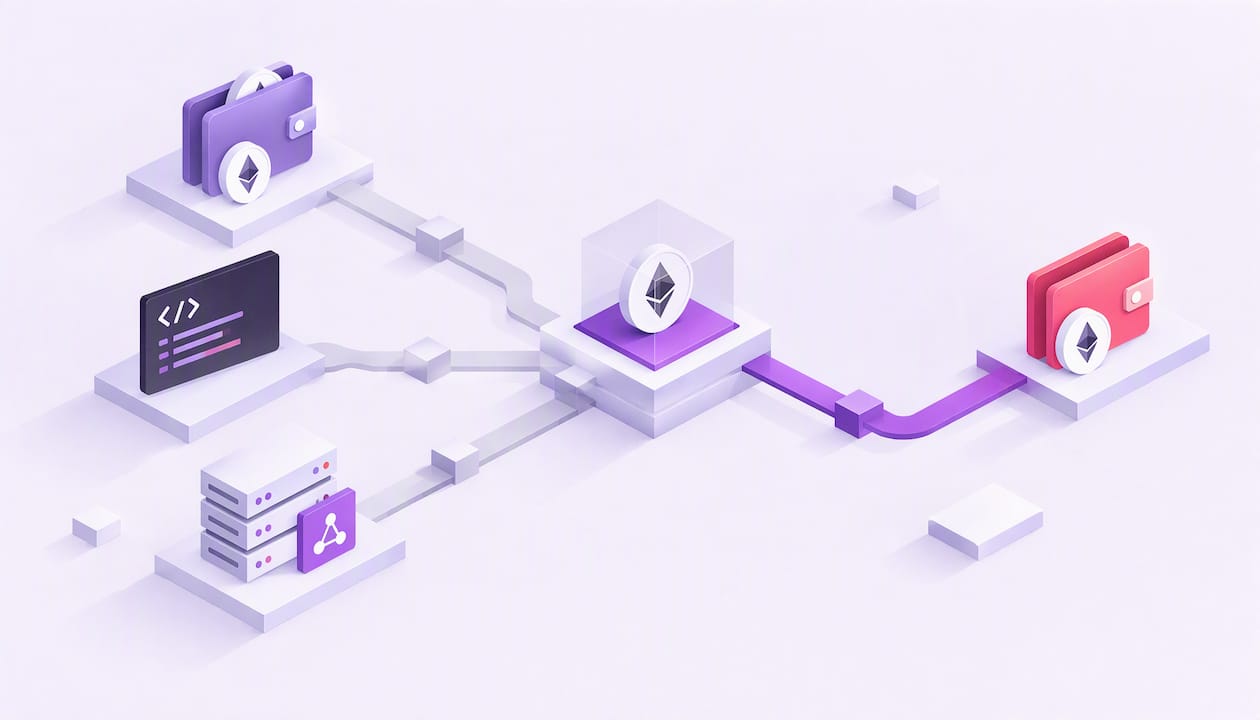
You can send ERC-20 tokens in three ways: from a wallet app, from your own code with a library such as ethers.js, or through a REST API that signs and broadcasts for you. All three do the same thing underneath. They call the transfer function on the token’s smart contract, and the sender pays the network fee in ETH, not in the token. This guide covers each method, the mistakes that lose funds, and what changes when you move from one manual transfer to thousands of automated ones.
TL;DR
- An ERC-20 transfer is a call to the token’s contract, not a plain value transfer like ETH. The recipient address and amount go in the call data.
- The sending wallet needs ETH for gas even if it holds plenty of tokens. With zero ETH the transaction fails.
- Never
transfertokens straight into a contract that has no code to handle them. UseapproveandtransferFromfor contract interactions. - In code, handle token decimals and tokens that do not return a standard boolean. Wrap calls with a safe library.
- If you build an app that sends tokens for users, a REST API removes the node, nonce and gas work. We cover that below.
Table of Contents
- What actually happens when you send an ERC-20 token
- Before you send: a short checklist
- Method 1: Send from a wallet
- Method 2: Send with code (ethers.js)
- Method 3: Send through a REST API
- Common ways ERC-20 transfers go wrong
- Gasless transfers and meta-transactions
- Our perspective: treat a transfer as a workflow, not a call
- Automating transfers with Chaingateway
- Confirming that the transfer worked
- FAQ
- Sources
What actually happens when you send an ERC-20 token
Sending ETH moves native value between two accounts. Sending an ERC-20 token changes a balance ledger stored inside the token’s contract. Your wallet creates a transaction addressed to the token contract, and that contract updates the balances of sender and recipient.
The ERC-20 standard defines the methods every compliant token exposes: totalSupply, balanceOf, transfer, transferFrom, approve and allowance. That shared interface is why one wallet or one piece of code can handle thousands of different tokens. The original specification is EIP-20, published in November 2015.
A few consequences follow from this design:
- The transaction’s
tofield is the token contract, not the person you are paying. The real recipient is encoded in the call data. - The call data starts with the function selector
0xa9059cbb(thetransfersignature), followed by the recipient address and the amount, according to ethereum.org’s ERC-20 documentation. - ERC-20 is a token standard, not the same thing as Ethereum. ETH is the network’s native currency. Tokens such as USDT are contracts running on it. If you want the broader picture of gas and ETH, see our Ethereum overview.
The same format also exists on other EVM chains. Our post on the ERC20 token standard goes deeper into how it works, and the ERC20 address guide explains address format and balance lookups.
Before you send: a short checklist
Most lost transfers come from skipped preparation, not from technical failure. Check these first.
- You hold the token and the right amount. Confirm the balance with
balanceOfor in your wallet. - You hold ETH for gas. The fee is paid in the network’s native currency, not deducted from the tokens you send. On Polygon or BNB Chain the same logic applies with that chain’s native coin. A wallet with tokens but no ETH cannot send anything.
- You have the exact recipient address. Copy and paste it rather than typing it. MetaMask’s help center warns about address poisoning, where an attacker seeds your history with a lookalike address.
- You know the network. The same address format works on several EVM chains. A token sent on the wrong network does not arrive where the recipient expects it.
- The recipient can accept it. Sending to an exchange deposit address on the wrong network, or to a contract that cannot handle tokens, can mean permanent loss.
- You test with a small amount first. For a new recipient or a new integration, send a small amount and confirm it arrived before sending the full sum.
Method 1: Send from a wallet
For one-off transfers, a wallet is the simplest route. The Etherscan guide to sending ETH or tokens describes the same flow most wallets follow:
- Open the wallet and choose the send option.
- Select the token you want to send. If the wallet does not list it, add it by pasting the token contract address.
- Paste the recipient address.
- Enter the amount.
- Review the network fee. The wallet estimates it for you.
- Confirm, then track the transaction hash on a block explorer until it is confirmed.
Two details trip people up. First, the token contract address you paste when adding a custom token must be the real one, because fake tokens use the same name and symbol. Verify it from the project’s own site. Second, the fee shown is in ETH, so the wallet’s ETH balance must cover it on top of whatever ETH you intend to send.
Method 2: Send with code (ethers.js)
Developers who need to automate transfers can call the contract directly. The ethereum.org tutorial on sending tokens with ethers.js shows the basic pattern. A separate ethers.js walkthrough explains the key difference from ETH: the transaction sends no value, it calls the token’s transfer function with a destination and an amount.
The steps look like this:
- Create a provider connected to an Ethereum node (your own or a hosted endpoint).
- Create a signer from a private key or a wallet you control.
- Instantiate the token contract with its address and a minimal ABI containing
transfer,balanceOfanddecimals. - Convert the human amount to base units using the token’s decimals.
- Call
transfer(recipient, amount)and wait for the receipt.
That ethers.js tutorial notes the library can send an EIP-1559 transaction without manual gas settings, picking a gas limit and a default priority fee. It can also manage the nonce when you use a signer.
Handle decimals correctly
Tokens store amounts as integers. A token with 18 decimals represents 1.0 token as 1000000000000000000 base units. The decimals field is part of the standard but different tokens set different values, and the EIP-20 text treats it as optional metadata. Always read decimals from the contract instead of assuming 18. Hardcoding the wrong value sends an amount off by orders of magnitude.
Do not trust the return value blindly
The standard says transfer returns a boolean. Not every token in the wild behaves that way. Some return nothing, and some fail in unexpected ways. The OpenZeppelin IERC20 interface is the reference for the standard, and OpenZeppelin’s SafeERC20 library exists to wrap calls so odd tokens do not break your logic. If your smart contract moves tokens, use it. If your backend sends tokens, check the transaction receipt status and the emitted Transfer event instead of assuming success.
Gas limits
A plain ETH transfer uses a gas limit of 21,000, according to MetaMask’s guidance. A token transfer is a contract call, so it needs more. Estimate gas with your library’s estimation call before each send rather than hardcoding a number, because the cost depends on the token’s contract code and the state of the balances involved.
Method 3: Send through a REST API
Running the code path above is fine for a script. In a product it becomes a list of chores: operate or rent node access, manage keys, track nonces so concurrent sends do not collide, estimate gas, retry stuck transactions, decode logs to find out whether a payment arrived, and repeat all of it per chain.
A unified API takes that layer off your team. With Chaingateway you create wallets, send tokens and read decoded transaction data through plain REST calls. You do not need web3.js or ethers.js in your stack, and you do not run nodes. Our Ethereum API page shows how ERC-20 sending works over REST. Requests are HMAC-signed, and gas is estimated automatically.

The same approach extends to Bitcoin, Tron, Solana, Polygon, BNB Chain and Arbitrum, so a second chain does not mean a second integration. If you later add Tron USDT, read our explainer on TRC10 vs TRC20. For BNB Chain addresses, see the BEP20 address guide.
When each method fits
| Situation | Wallet | Your own code | REST API |
|---|---|---|---|
| One-off personal transfer | Best | Overkill | Overkill |
| Occasional script on one chain | Slow | Good | Good |
| Payouts or withdrawals inside an app | Not practical | Possible, you maintain it | Best fit |
| Several chains and token standards | Manual per chain | A client per chain | One interface |
| Incoming payment detection | Manual | You build log listeners | Webhooks |
Common ways ERC-20 transfers go wrong
Sending tokens to a contract
The transfer function was not designed for depositing into smart contracts. If a contract has no logic to react to incoming tokens, they sit in its balance with no way out. The ethereum.org ERC-20 page describes this risk, including tokens sent to the token’s own contract, and reports millions of dollars lost this way as of June 2024. If you write contracts, add a function that lets you recover tokens sent by mistake. If you need a contract to receive tokens from a user, the standard pattern is: the user calls approve for the contract, then the contract calls transferFrom.
Zero ETH for gas
The transaction fails if the sender has no native currency, however many tokens are in the wallet. Product teams often discover this late: a user receives tokens, tries to move them, and cannot. Options are to top up the wallet with a small amount of ETH, or to design around it with signed authorizations.
Wrong network or wrong address
Blockchains do not reverse transactions. Verify the network and address before confirming, and use a small test transfer for anything new.
Confusing the token with the network
USDT, for example, exists on several chains. When someone says they hold USDT, ask on which network. The address may look identical on each, but the funds live on one chain only.
Gasless transfers and meta-transactions
A growing option for onboarding is to let the user sign a message and have someone else submit the transaction and pay gas. EIP-3009, Transfer With Authorization, defines functions that let a holder delegate gas payment and have transfers executed through EIP-712 signatures. Only tokens whose contracts implement it support this, so check before you design a flow around it. For a startup, it can remove the first-transfer hurdle of acquiring ETH.
Our perspective: treat a transfer as a workflow, not a call

We see the same pattern in teams that integrate token sending for the first time. The transfer call itself takes an afternoon. The weeks go into everything around it: knowing when a payment really landed, handling a failed or stuck transaction, estimating fees, and keeping keys safe.
Our view is that sending and receiving belong together. A payout flow without confirmation events forces you to poll, and a deposit flow without decoded data forces you to parse raw logs. That is why we built wallet creation, token transfers, gas estimation, decoded transaction data and webhook notifications behind one API, signed with HMAC. You get one contract with your infrastructure instead of one per chain, and you do not run nodes.
Our practical advice: start with a small transfer on a test setup, verify decimals and receipts, subscribe to events for confirmation, and only then scale volume.
— Bitblade
Automating transfers with Chaingateway
If you are building payouts, withdrawals or deposits into an app, you can try our Blockchain API and pair it with Chaingateway Webhooks to get notified when payments arrive. Plans on our pricing page start at 49 EUR per month for Plus, with Pro at 99 EUR per month, Premium at 249 EUR per month and Enterprise at 499 EUR per month. Annual billing is 490 EUR for Plus, 990 EUR for Pro, 2490 EUR for Premium and 4990 EUR for Enterprise. Paid access follows a free trial.
Confirming that the transfer worked
Submitting a transaction is not the same as completing a payment. After you send:
- Store the transaction hash immediately.
- Check the receipt status. A mined transaction can still have failed.
- Look for the
Transferevent from the token contract with the expected sender, recipient and amount. The event is part of the ERC-20 interface. - Wait for as many confirmations as your risk policy demands before you release goods or credit a balance.
- Reconcile against
balanceOfperiodically to catch anything your listener missed.
Polling works for a small script. For production, subscribing to notifications means your system reacts to events instead of asking repeatedly.
Sources
- ERC-20 Token Standard, ethereum.org
- EIP-20: ERC-20 Token Standard
- How to send tokens from your MetaMask wallet, MetaMask Help Center
- How to send ETH or token, Etherscan Information Center
- Sending Tokens Using ethers.js, ethereum.org
- Ethers.js: How to send ERC-20 Tokens, MetaMask Help Center
- IERC20.sol, OpenZeppelin Contracts
- ERC-3009: Transfer With Authorization
Recommended
Frequently asked questions
Yes. The network fee is paid in ETH, not in the token you send. If the sending wallet has no ETH, the transaction fails. On other EVM chains, you need that chain’s native coin instead.
USDT exists in an ERC-20 version on Ethereum, and it is one of the most widely used tokens built on the standard. It also exists on other networks, so always confirm which network you are sending on and which one the recipient expects.
No. Ethereum is the blockchain, and ETH is its native currency. ERC-20 is a standard interface that token contracts on Ethereum follow, so wallets and apps can treat different tokens in the same way.
If the receiving contract has no logic to handle incoming tokens, they usually become stuck, and recovery depends on whether that contract includes a rescue function. Check the recipient before sending. For contract interactions, use approve followed by transferFrom.
Yes. You can use a wallet for manual sends, or a REST API if you are building an application. With an API, the provider handles node access, signing flow and gas estimation, and your code makes ordinary HTTP requests.
Ready to build this yourself? Get your API key — 7-day trial, no card required — or see the Blockchain API for the full endpoint reference.